How isometric coordinates work in 2D games
Working through the math for converting tile coordinates to screen coordinates in a 2D isometric game.
In isometric games like the one I’ve been working on for the last few weeks, the projection required is quite different than in a normal 2D or 3D game. Usually, those games have perspective projection, which is how you typically see the world (objects further away appear smaller and objects closer appear larger). In an orthographic projection objects appear the same size no matter where they are. Isometric uses this projection type on top of changing the angles such that all lines are parallel.
A typical isometric perspective in games involves a 2-to-1 ratio between the X and Y coordinates. That means for every Y value you move two X values.
This type of change to the way objects and items are laid out completely changes the way you go about making a game. For example, if we were to move the player by simply increasing the Y value, we would actually move the character diagonally. These are the kinds of things that you need to account for.
Which brings me to the purpose of this post. I’ve been struggling with wrapping my brain around this concept (and learning game development while I do it). In order to not forget the perils, I’m jotting down what I’ve learned.
Visualizing an isometric grid
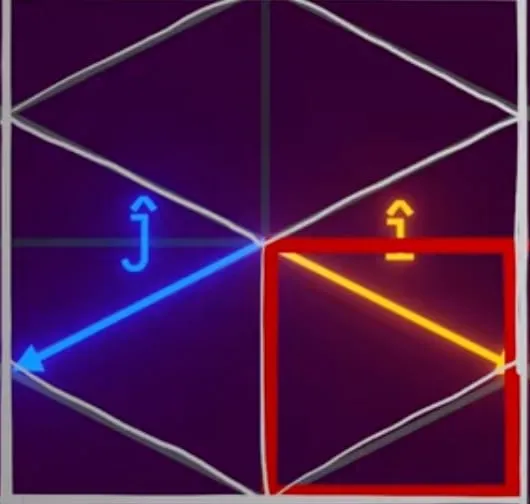
In this case we are assuming a 2:1 isometric projection.
Translating Cartesian coordinates to isometric coordinates
To represent the isometric projection: if we’re moving down (î) the X axis by 1 pixel then that represents an additional move down the Y axis by 0.5 pixels.
Following this same principle, for ĵ we would get -1 and 0.5.
We can represent both of these as a pair of 2D vectors:
[1, 0.5]
[-1, 0.5]
Using this we can now multiply any x value by [1, 0.5] and any y value by [-1, 0.5]:
x * (1, 0.5) + y * (-1, 0.5)For example, if we wanted to know where the coordinate (3, 1) sits on our isometric grid:
3 * (1, 0.5) + 1 * (-1, 0.5) =
(3, 1.5) + (-1, 0.5) =
(2, 2)
However, this won’t work by itself. This formula doesn’t account for the width and height of the tiles. To account for your tile size you need to multiply every x change by w / 2 and every y change by h / 2.
This gives you a new formula:
screenX = x * 0.5w  + y * -0.5w
screenY = x * 0.25h + y * 0.25h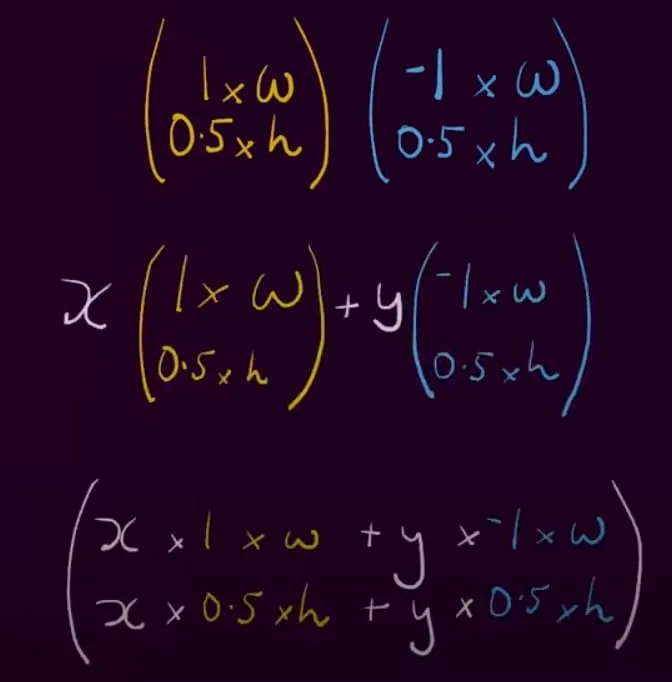
While the above equation works, it adds too much spacing between tiles — instead we need to take just half of our asset size:
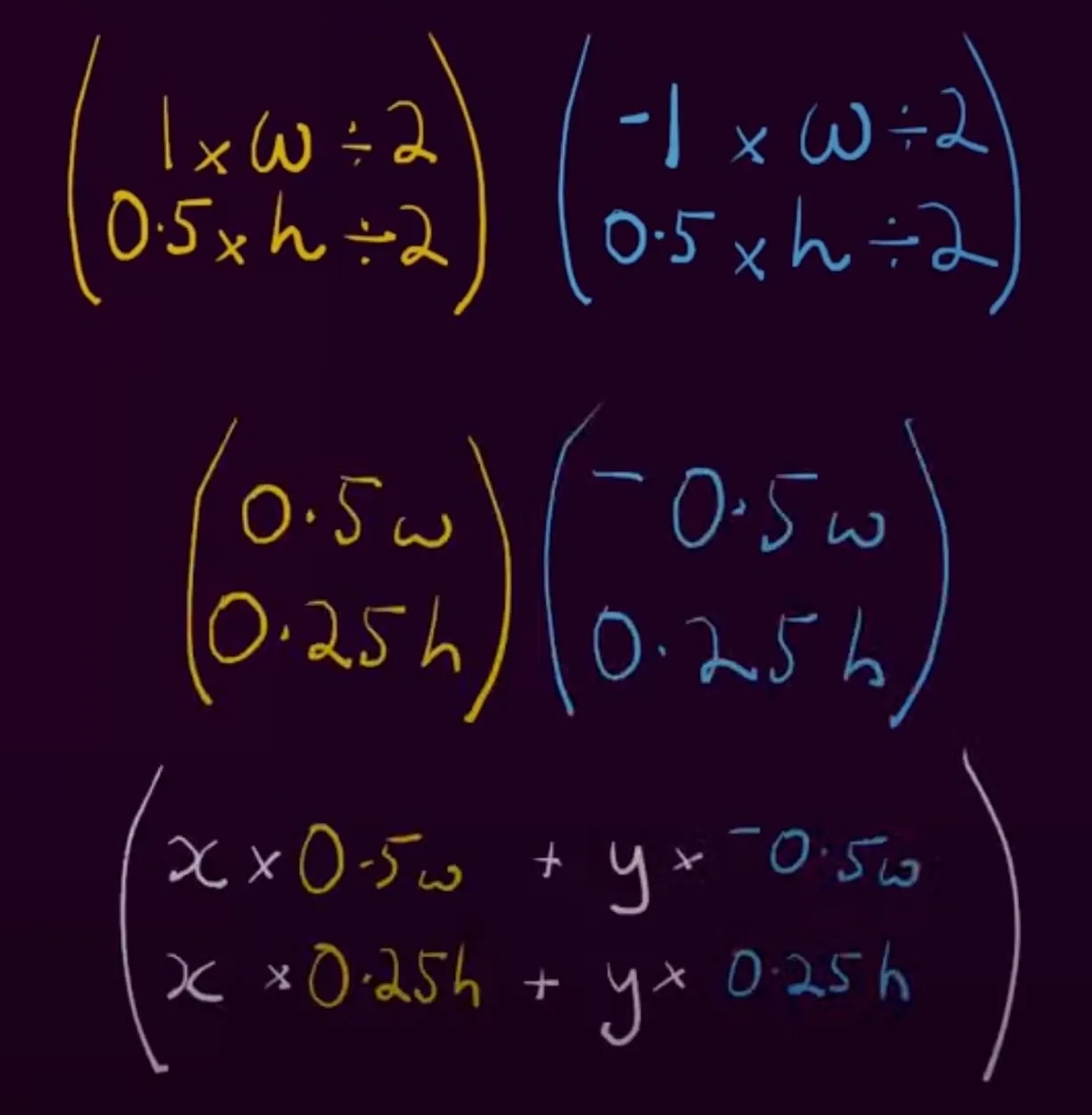
The final formulas
For a 2:1 tile of width w and height h, this is what I ended up using in the isometric game I was prototyping:
screenX = (x - y) * w / 2
screenY = (x + y) * h / 2
Going the other way, for example when converting a mouse click back to tile coordinates:
x = (screenX / (w / 2) + screenY / (h / 2)) / 2
y = (screenY / (h / 2) - screenX / (w / 2)) / 2
Note that in a true 2:1 projection h = w / 2, which reduces these to the vectors derived above.